
The best free apps for productivity are the ones you can still use in six months without a surprise paywall.
Most free plans hide the real limit in a small line on a pricing page. One app caps projects at five. Another caps boards at ten. A third caps notes at fifty. This guide to the best free apps for productivity checks the free plan first, and the features second. Every price and limit below was checked in search in November 2026.
Start with one question. What is the main job? Notes, tasks, projects, or a mix of all three? Pick for the job you do every day.
How to choose the best free apps for productivity in five minutes
First, count the containers in the best free apps for productivity. Todoist free allows five personal projects. Trello free allows ten boards per workspace. ClickUp free allows five spaces. Asana free allows two users. Evernote free allows one notebook and fifty notes.
Second, check file and history limits. Notion free allows files up to 5 MB each and page history of seven days. Trello free allows files up to 10 MB each. ClickUp free allows 60 MB of storage for the whole workspace.
Third, check who else needs access. Notion free is unlimited for one person, and then a workspace with two or more members has a limit of 1,000 blocks in total. Trello free allows up to ten collaborators. Asana free is for up to two users.
Fourth, check sync and devices. Obsidian is free with no sign up. Google Keep is free with a Google account. Microsoft To Do is free with a Microsoft account, and tasks also appear in Outlook. Evernote free allows one device at a time.
Fifth, test capture. If capture takes more than ten seconds, you will stop using it.
1. Notion, best free app for notes and a personal workspace
Notion free also costs $0 for one person. You get unlimited pages and blocks as a single workspace owner, plus databases, Notion Calendar, and a limited trial of Notion AI. Plus is $10 per member per month when billed yearly, or $12 per member per month when billed monthly, based on checks in October and November 2026. Files must be up to 5 MB each on free. You can invite up to ten external guests on free. If a second member joins, the workspace gets 1,000 blocks in total. Use Notion free, one of the best free apps for productivity, for a personal knowledge base, a study plan, or a content calendar. Keep large files in Google Drive and link to them from Notion.
2. Todoist, best free app for daily tasks
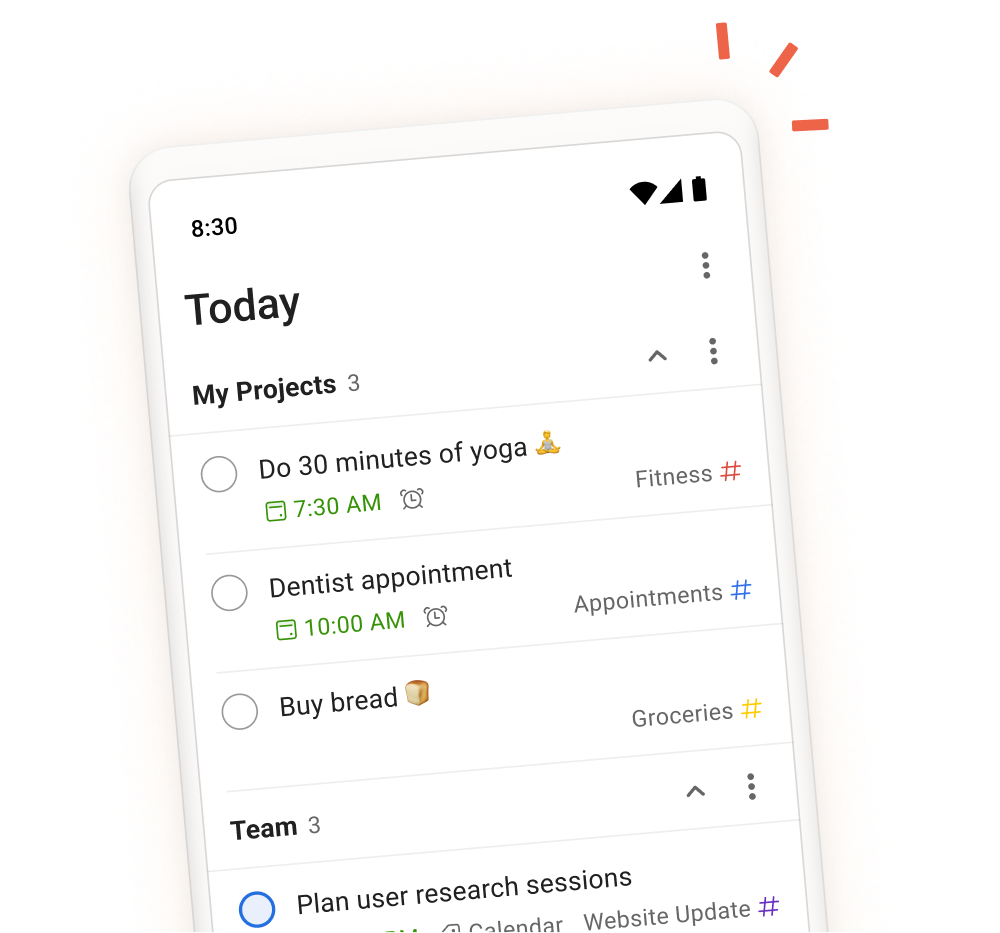
Todoist calls its free plan Beginner. It costs $0, and it is an ongoing plan, not a trial. You get five active personal projects, three custom filter views, one week of activity history, and file uploads up to 5 MB. You also get Quick Add, list and board layouts, task reminders, sub tasks, and recurring due dates. Pro is $5 per month when billed yearly, or $7 per month when billed monthly. However, the limit that bites is five projects. If you can fit your life into five projects, Todoist free can last for years. Every plan also caps each project at 300 active tasks. Use Todoist free if you want fast capture and a clear today list. Pair it with a note app for long form writing.
3. Trello, best free app for visual boards
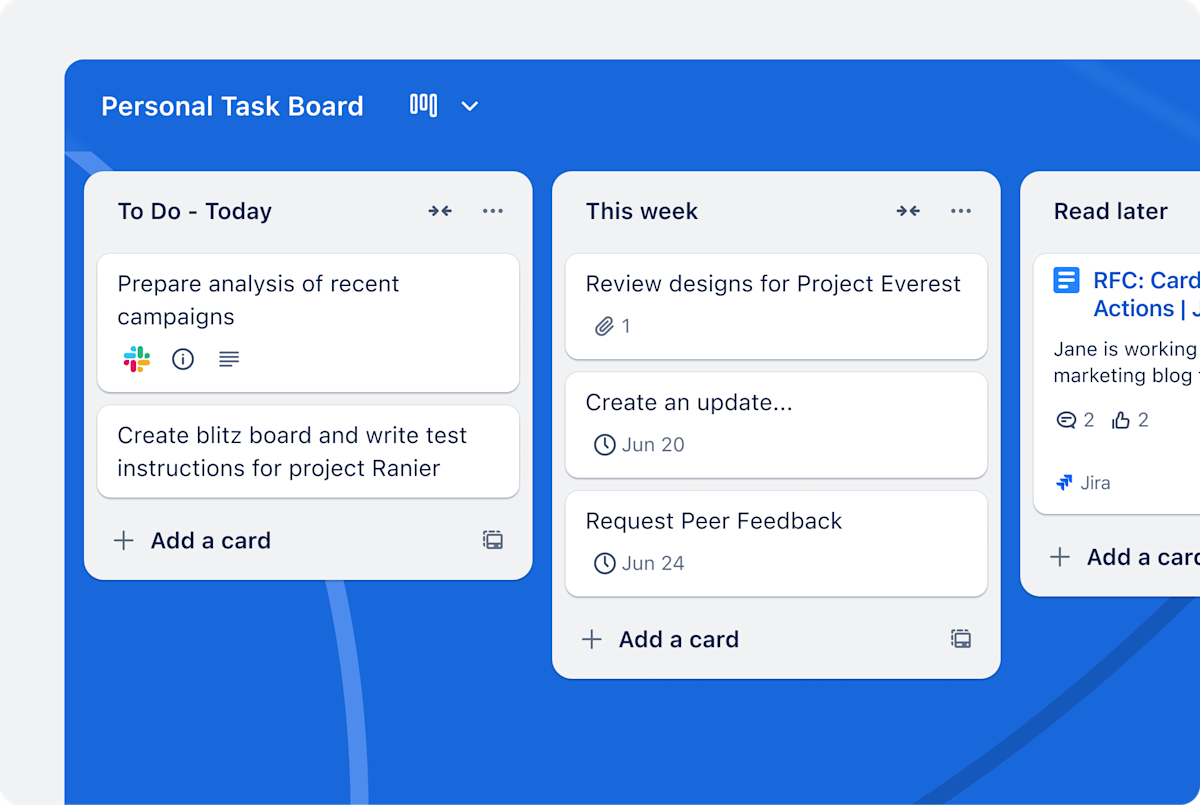
Trello free costs $0, and it is a working plan, not a trial. You get unlimited cards, up to ten boards per workspace, up to ten collaborators per workspace, unlimited Power Ups per board, and 250 workspace command runs a month for automation. Files are capped at 10 MB each. Standard is $5 per user per month when billed yearly, or $6 per user per month when billed monthly. Trello counts workspace members, guests, and pending invitations toward the ten person cap. If you pass it, boards can turn view only. Use Trello free, one of the best free apps for productivity, if you think in columns. For example, it is strong for a simple pipeline, a content plan, or a household project. It is weak if you need time tracking or a timeline view.
4. Obsidian, best free app for private notes and long term archives
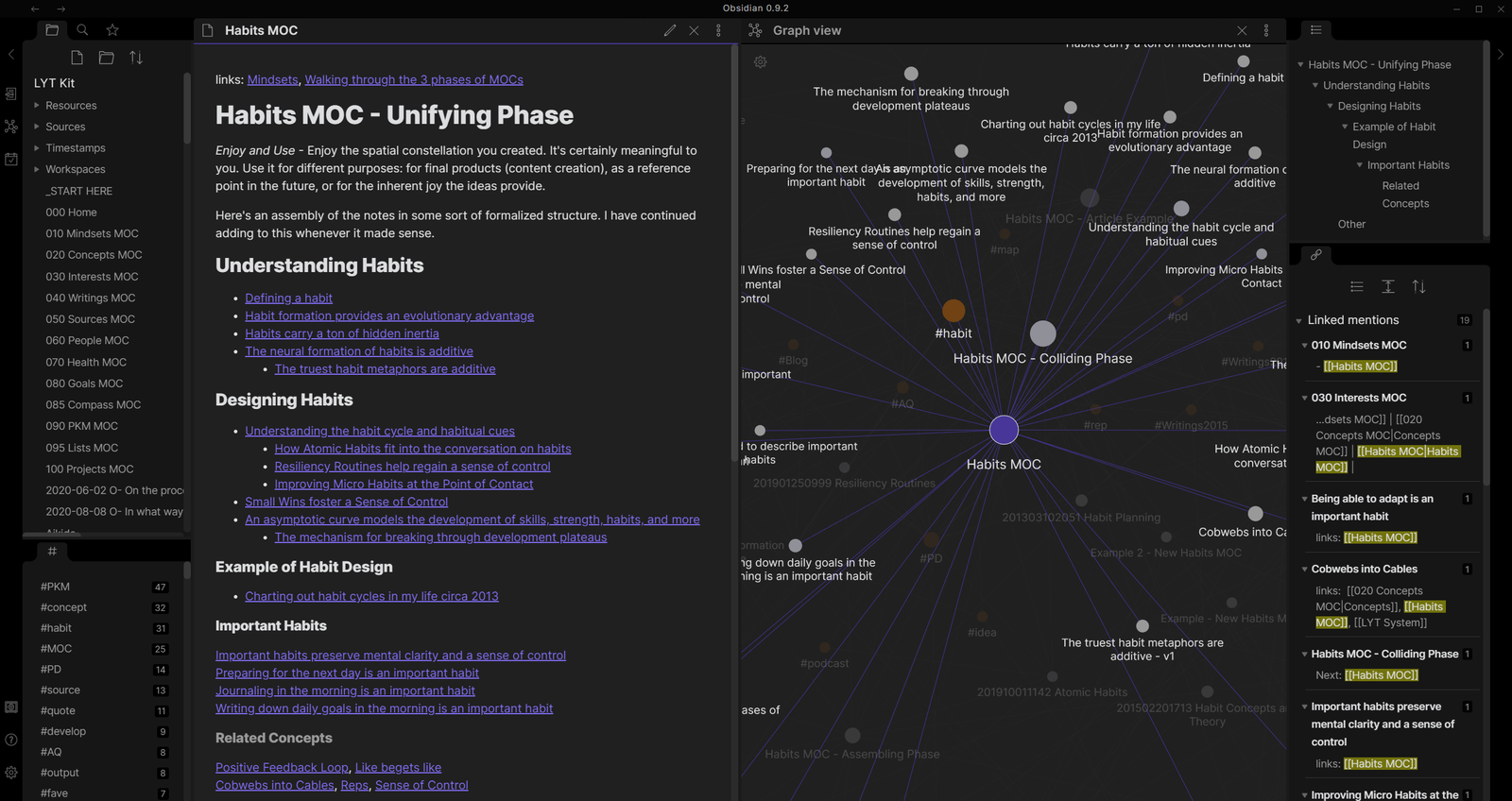
Obsidian is free without limits, with no sign up required. That is the official wording, and it is the reason this app stands apart. The app is free for personal and commercial use. You pay only for optional add ons. Sync starts at $4 per user per month when billed yearly, or $5 per user per month when billed monthly. Publish starts at $8 per site per month when billed yearly, or $10 per site per month when billed monthly. Your notes are plain text Markdown files in a folder on your device. You own the files, and you can open them in any text editor. Linking, graph view, Canvas, community plugins, and themes are also in the free app. However, the catch is sync. The free app leaves syncing to you. Use Obsidian free, one of the best free apps for productivity, for research, study, and writing.
5. ClickUp, best free app for a small team that needs many seats
Among the best free apps for productivity, ClickUp Free Forever costs $0, and it has no seat limit. That is rare, and it is the headline reason to try it. You get unlimited tasks and unlimited members, plus collaborative docs, Kanban boards, calendar, sprint management, in app video recording, and two factor authentication. The paid step in the November 2026 checks is Core at $9 per user per month when billed yearly. Free storage is 60 MB for the whole workspace, not per user. Keep attachments in Drive or Dropbox and link to them. Free allows five spaces, with up to 100 folders and 40 lists per space. It also allows 100 automation actions a month. Some features, such as custom fields and Gantt views, are given as a fixed number of uses on free, and those uses do not reset.
6. Google Keep and Google Docs, best free apps if you already use Google
Keep is free with any Google account, and it has no paid Keep tier. Google Docs is also free with a personal Google account, with no trial period. Both count toward the same free storage pool. Every Google account includes up to 15 GB of storage, shared across Gmail, Google Drive, and Google Photos. Docs files created or edited after 1 June 2021 also count against it. Keep is a quick capture notebook. Notes appear as cards, you can colour them, pin them, label them, and archive them. Reminders moved out of Keep and into Google Tasks, starting 13 October 2025. Google Docs, however, is the stronger pick for long writing. A Google Doc can hold up to 1.02 million characters, based on the checks in November 2026. In short, use Keep for capture and Docs for drafting, two of the best free apps for productivity.
7. Microsoft To Do, best free app if you already use Outlook
Microsoft To Do is one of the best free apps for productivity, and it is free, with no paid tier. You need a Microsoft account to sign in. Lists, due dates, reminders, steps inside a task, notes, shared lists, and file attachments up to 25 MB are included. Tasks live in Exchange Online, so they also appear in Outlook, and flagged emails in Outlook can appear as tasks. My Day is the centre of the app. It resets every night, so each morning starts blank. Unfinished tasks stay in their own list and return as suggestions the next day. However, the trade off is depth. There are no projects or boards, and tags are simple hashtags. Use Microsoft To Do if your workday runs on Outlook and Microsoft 365. Pick three tasks for My Day each morning, and no more.
8. Asana Personal, best free app for a pair who wants structure
Asana Personal costs $0, and it is free forever for up to two users. That two user cap is the whole free tier, so read it first. You get unlimited tasks, unlimited projects, unlimited messages, and unlimited activity logs, plus list, board, and calendar views, assignees, due dates, comments, sub tasks, and the mobile app. File attachments are capped at 100 MB per file. Starter is $10.99 per user per month when billed yearly, or $13.49 per user per month when billed monthly, based on checks in October and November 2026. In addition, new accounts get two users. Guests can be invited to individual projects without taking a seat. Use Asana free if you are one person, or a pair, and you want structure.
What about Evernote free in 2026: one of the best free apps for productivity
Evernote still has a free plan, but it is now a trial in all but name. Free costs $0, and it allows 50 notes, one notebook, and one device at a time. Storage is 1 GB, with uploads of 1 GB a month. Starter is $14.99 a month or $99 a year. Overall, fifty notes is enough to test the app, and it is not enough to run a daily note system.
A simple setup that works for most people with the best free apps for productivity
Pick one note app and one task app from the best free apps for productivity, and stop there. Two apps are enough. A practical pair is Notion for notes and Todoist for tasks, if you want a flexible workspace and fast capture. Another practical pair is Google Keep for capture and Google Docs for drafting, if you already live in Google. Set a weekly review in the task app. Do not move a full archive on day one.
Frequently asked questions about the best free apps for productivity
Which app is best for one person? Notion is best for notes and plans. Obsidian is best for a private archive. Todoist is best for daily tasks. Which app is best for a small team? ClickUp is best for many seats. Trello is best for ten people or fewer. Asana is best for two people. Is Obsidian really free? Yes, with no sign up required. In addition, Sync and Publish are optional.
Final takeaway: the best free apps for productivity in 2026
The best free apps for productivity in 2026 are Notion, Todoist, Trello, Obsidian, ClickUp, Google Keep with Google Docs, Microsoft To Do, and Asana Personal. Each one is free in a real sense, and each one has a clear limit. Notion is best for a personal workspace. Todoist is best for daily tasks. Trello is best for visual boards. Obsidian is best for a private archive. ClickUp is best for many seats. Google Keep and Docs are best if you already use Google. Microsoft To Do is best if you already use Outlook. Asana Personal is best for a pair who wants structure. First, pick the job, then pick the app that fits that job inside its free limits. Then test it for three real days. Finally, keep files small, keep projects few, and review once a week.