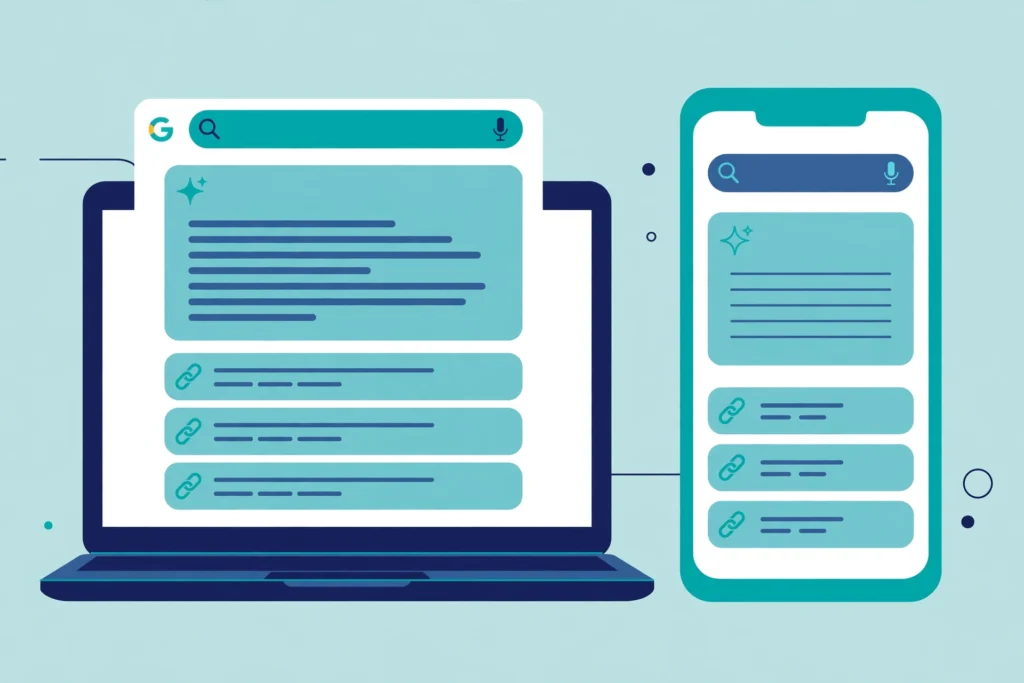

Google AI Mode how to use it is the question many people are asking now, because Google Search has changed. You can ask it in plain words, and it will write you an answer, show you the links it used, and let you ask a follow up question. This guide shows you how to use it on desktop and on mobile, in plain language.
TL;DR: Google AI Mode how to use it in one minute
First, go to google.com/ai, or tap the AI Mode tab on google.com, or tap AI Mode in the Google app. Then type your question in the Ask anything bar. Finally, read the answer, click the links, and ask a follow up if you need more. It is free for the basic version, and it runs on Gemini 4 Hydrogen by default since 12 Nov 2026. It can be wrong, so check important facts in a second place.
What is it
Google calls it its most powerful AI search experience. Also, you ask a question in full sentences, and you get a written answer with links, and you can ask follow up questions.
However, it is not an AI Overview, which is a short AI summary at the top of normal results, and it is not the Gemini app, which is a standalone assistant. It lives inside Google Search, and it uses query fan out, splitting your question into smaller parts and searching for each part at the same time.
When did it launch, and where is it available
On 5 Mar 2025 Google opened it in the United States as a Search Labs experiment, running on a custom version of Gemini 2.0. On 20 May 2025 Google rolled it out to everyone in the United States, with no Labs sign up needed, and moved it to a custom version of Gemini 2.5.
It then spread to more than 180 countries in English on 21 Aug 2025, and to more than 200 countries and territories on 7 Oct 2025. Today it is listed in more than 200 countries, in 98 languages, including English and Urdu, and Pakistan is on the list. Also, on 19 May 2026 Google said it had passed 1 billion monthly users.
What model powers it now
At first, Gemini 3.5 Flash was the default from 19 May 2026, when Google named it as the new global default at Google I/O 2026. In fact, a guide from May to early November 2026 that says so was correct when it was written.
On 12 Nov 2026 Google changed the default. As a result, Gemini 4 Hydrogen became the default for all users worldwide, announced by Robby Stein, VP of Product for Google Search. Google says Hydrogen is faster and more accurate, and it shows more helpful links. Those claims are Google’s own test results, not independent tests. You do not need to pay to get it. Paid subscribers can choose other models. In addition, Gemini 4 Argon arrived for Pro subscribers on 13 Oct 2026, and Gemini 4 Carbon arrived for Ultra subscribers on 10 Nov 2026, with daily usage limits.
On a computer
Google AI Mode how to use it on a computer is simple, and you do not need to install anything. Go to google.com/ai, or run a search on google.com and click the AI Mode tab. If you do not see the tab, check that you are in a supported country and signed in. Some work accounts do not have it.
Ask your first question on a computer
First, click in the Ask anything bar and type your question in full sentences, not only keywords. Then press Enter. It will write you an answer, with links under it. Next, click the links that matter to you, so you can check where the answer came from. To ask a follow up, type your next question in the same bar. It remembers the conversation. You can also paste a web address, upload images, PDFs, and files from Google Drive, or click the microphone and speak your question.
On a phone
Google AI Mode how to use it on a phone is almost the same as on desktop. First, open the Google app and tap AI Mode on the home screen, or go to google.com/ai in your phone browser.
Ask a question on a phone
Tap in the Ask anything bar near the bottom of the screen and type your question, or tap the microphone and say it out loud. To ask a follow up, use the same bar. To upload a photo, tap the image button. If you are signed in, Google AI

What Google AI Mode can do
For example, it works best for comparing options, learning a new topic, and planning something with several parts. Ask it to compare two laptops, ask follow ups to go deeper, or ask it to plan a three day trip. It can check local prices in some places, but it cannot complete a booking for you. Upload a photo or a PDF and ask about it, or ask for an interactive visual for a hard idea, for signed in users in English.
What Google AI Mode cannot do, and its limits
First, it can be wrong. For example, Google says it does not always get it right. Always check important facts in more than one place, and never use it as your only source for money, health, legal, or safety decisions. Second, it does not know everything about you unless you let it. Personal Intelligence is only for users aged 18 and over, with history turned on. You can connect Gmail, Calendar, and Photos, and disconnect them at any time. Third, some features are limited by country, language, or account type, and the newest features often arrive in the United States first, in English only. Fourth, Gemini 4 Carbon has daily usage limits, and it is only for Ultra subscribers aged 18 and over. Finally, it will sometimes show you web links instead of an AI answer, if it does not have enough confidence in the AI response

Google AI Mode, regular Google Search, and Gemini, compared
| Feature | Regular Google Search | Google AI Mode | Gemini app |
|---|---|---|---|
| What you get | A list of links with a short AI Overview at the top for some searches | One written AI answer with links plus follow ups | A chat with an AI assistant for writing, planning, and coding |
| Best for | Finding a specific page fast | Hard questions with several parts | Writing, brainstorming, and long tasks |
| Follow up questions | No | Yes | Yes |
| Sources shown | Yes, as links | Yes, as links under the answer | Sometimes, and not always from the live web |
| Model | Search ranking with AI Overviews for some queries | Gemini 4 Hydrogen by default since 12 Nov 2026 | Gemini models, with choices by plan |
| Cost | Free | Free for the basic version | Free basic version, with paid plans for stronger models |
Choose regular Search when you know the page you want. Use Google AI Mode when you want an answer explained, with sources. Use Gemini when you want help writing, planning, or coding. For AI tools for daily work, read our guide. Read it here: https://techknowlogy.net/ai-tools-at-work-november-2026/
Cost: is Google AI Mode free
Yes, the basic version is free. In fact, you do not need a paid plan, and you do not need to join Search Labs any more. Paid plans give you stronger models and higher limits. In addition, Google AI Pro costs 19.99 dollars a month in the United States, and it includes Gemini 4 Argon. Google AI Ultra starts at 99.99 dollars a month, and it includes Gemini 4 Carbon. Prices in Pakistan may differ. Finally, for most beginners, the free version is enough.
Privacy: what Google AI Mode knows about you
First, your conversations are saved in your Google account when you are signed in, in AI Mode history, and you can delete one conversation or all of them. In addition, Personal Intelligence can use your past searches, and Gmail, Calendar, and Photos if you connect them. Finally, do not paste passwords, bank details, ID numbers, or private health information into Google AI Mode, or into any AI chat.
FAQs about Google AI Mode
Is Google AI Mode free
Yes. The basic version is free, with Gemini 4 Hydrogen as the default model. In addition, paid plans give you stronger models and higher limits, but you do not need them to start.
Is Google AI Mode available in Pakistan
Yes. Pakistan is on Google’s list, and Urdu is one of the supported languages. Some newer features may arrive in the United States first, in English only.
What is the difference between Google AI Mode and Gemini
Google AI Mode lives inside Google Search, with answers grounded in the live web. The Gemini app is a standalone assistant for chat, writing, and planning. If you want to run AI on your own machine instead, read our local LLM guide. Read it here: https://techknowlogy.net/local-llm-ollama-run-ai-on-your-own-machine/
Can Google AI Mode be wrong
Yes. Google says it does not always get it right. Therefore, always click the links and check important facts in a second place.
Can I turn off Google AI Mode
You do not need to turn it off. In fact, it only appears when you open it. As a result, if you do not open it, you get normal Google Search results. AI Overviews are different, and Google says you cannot switch them off.
The bottom line on Google AI Mode how to use it
Google AI Mode how to use it comes down to three steps. First, open it, ask a full question in the Ask anything bar, read the answer, click the links, and ask a follow up.
The change that matters most is the model. Gemini 4 Hydrogen is now the default model in Google AI Mode for all users, since 12 Nov 2026. It replaced Gemini 3.5 Flash, which had been the default since May 2026. You do not need to pay for that upgrade. Start with a real question from your own life. Ask in plain words, add detail, and check the links before you trust the answer. Have you tried Google AI Mode yet. Tell us in the comments what you asked it, and whether the answer helped you.